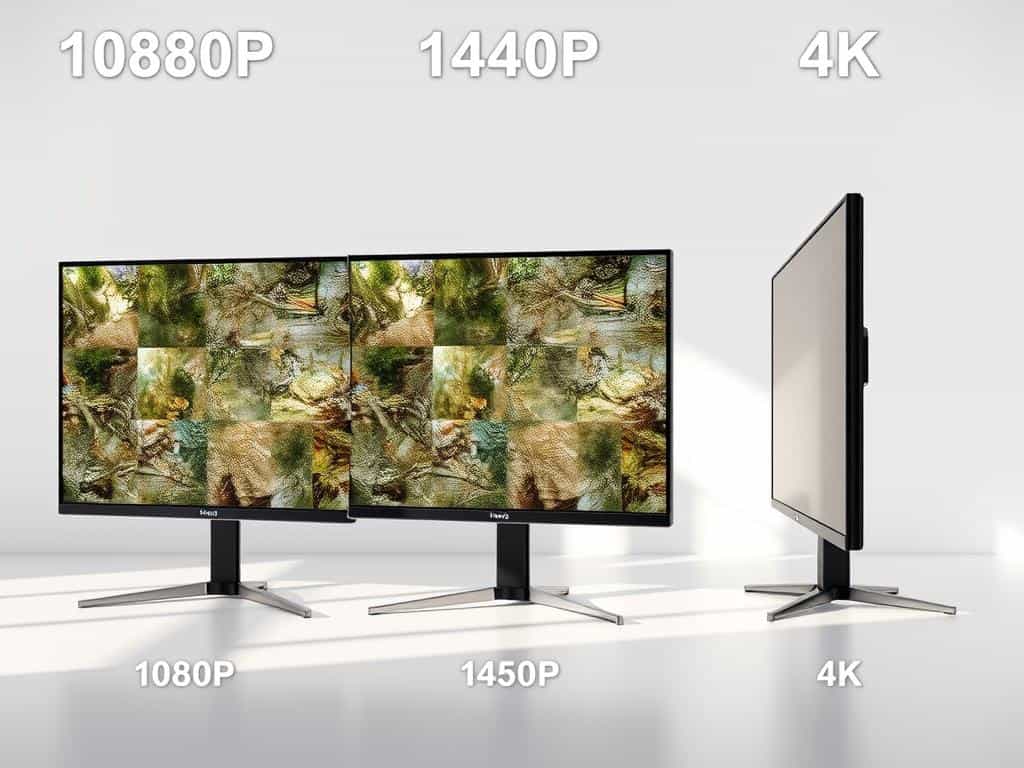
Did you know that the right monitor resolution can change your gaming and viewing experience? With up to 8.3 million pixels in 4K displays, it’s a big difference. High-definition monitors now range from 1080p to 4K, each with its own pixel setup and benefits.
In this article, we’ll explore the features of 1080p, 1440p, and 4K resolutions. We’ll look at their pros and cons. Whether you’re a gamer, streamer, or just need a good monitor for work, the right choice can make a big difference. Understanding pixel density, price, and hardware needs will help you pick the best display for your daily activities.
Key Takeaways
- The total pixels for 1080p resolution are 2,073,600, while 1440p has 3,686,400 pixels.
- 4K monitors boast a whopping 8,294,400 pixels, providing enhanced clarity and detail.
- 1080p is ideal for budget-conscious gamers, given its lower hardware demands.
- 1440p provides a balance of performance and affordability, making it great for multitaskers and gamers.
- 4K requires more powerful hardware to achieve smooth performance.
- The viewing distance affects how you see resolution differences, noticeable at 2 to 3 feet.
Understanding Different Monitor Resolutions
As technology gets better, knowing the differences in monitor resolutions is key. Each resolution has its own benefits, fitting different needs like gaming, work, or creating content. I’ll look at 1080p, 1440p, and 4K, covering their specs, good points, and best uses.
What is 1080p Monitor Resolution?
The 1080p monitor resolution, also known as Full HD or FHD, has 1920×1080 pixels, about 2,073,600 pixels total. It’s a common choice for TVs, laptops, and phones. It’s affordable and supports high refresh rates, great for those watching videos or playing games on a budget.
What is 1440p Monitor Resolution?
Known as Quad HD or QHD, the 1440p resolution has 2560×1440 pixels, around 3.6 million pixels. It’s sharper than 1080p, giving a clearer view. It’s versatile, good for both gaming and work, with some monitors reaching up to 360Hz refresh rates.
What is 4K Monitor Resolution?
4K, or Ultra HD, has a high resolution of 3840×2160, with about 8.3 million pixels. It’s perfect for those who need the best image quality, like content creators. But, it requires strong hardware, and its refresh rates are often lower than 1080p and 1440p.

Comparing the Benefits of 1080p, 1440p, and 4K
Looking at 1080p, 1440p, and 4K, we see how each affects gaming and user experience. Each resolution meets different gamer needs, making the experience unique. It depends on what each gamer values most.
Gaming Performance at Different Resolutions
Competitive gamers often choose 1080p monitors. These monitors can hit high refresh rates, like 240Hz or 500Hz. This is great for fast-paced games.
1440p monitors balance looks and performance. They work well with mid-range graphics cards, keeping games smooth. This is good for gamers who want both quality and performance.
4K monitors offer amazing visuals but are pricey and demanding. They need strong GPUs to run smoothly. This makes them less accessible for many gamers.
Visual Quality and User Experience
Visual quality is key to a good user experience. 4K monitors have the highest pixel density, making media and design work better. They offer unmatched visual quality for those who need it.
1440p is a good middle choice, with better clarity than 1080p. It’s also better for multitasking. 1080p can look blurry on big screens, while 4K requires scaling adjustments for text.
Conclusion
Choosing the best monitor resolution depends on what you need. Whether it’s 1080p, 1440p, or 4K, it’s all about what you prefer and what your system can handle. For those watching their budget, 1080p is a great pick. It gives you high refresh rates without breaking the bank.
On the other hand, 1440p is perfect for those who want a great gaming experience and also need it for work. It balances both worlds well. If you want the best visuals, 4K is the way to go. It offers stunning clarity and depth, making everything look amazing.
But remember, 4K needs a strong GPU to run smoothly. So, make sure your computer can handle it. In the end, knowing the differences between these resolutions is key. It helps you pick the right monitor for your needs and budget. Each resolution has its own perks, so choose wisely for the best viewing experience.