I remember sitting in my parents’ Portland basement back in the early 2000s, surrounded by a chaotic pile of cables and half-disassembled towers, trying to figure out why my old family computer took ten minutes just to boot up. It felt like I was waiting for a snail to finish a marathon! That frustration is exactly what leads most people to my inbox today, staring at a spec sheet and wondering about the difference between ssd and hard drive storage. You’re likely facing that same crossroads: do you go for the massive, budget-friendly capacity of a traditional drive, or do you invest in the lightning-fast responsiveness of a solid-state drive? It can feel like trying to assemble a Rube Goldberg machine without the instruction manual—one wrong piece and the whole thing just stalls.
Don’t worry, though; I’m not here to drown you in a sea of technical jargon or sell you on some expensive hype. My goal is to strip away the complexity and give you the straight-up, honest truth based on years of tinkering and software engineering. I’ll break down how these two technologies actually behave in your daily life, so you can make a choice that fits your needs perfectly. Think of this as a no-nonsense roadmap to getting the most out of your tech, without the headache.
The Steady Heartbeat: The Traditional Hard Disk Drive
Now, I know that diving into the nitty-gritty of hardware specs can sometimes feel like trying to assemble one of my more complex Rube Goldberg machines—a bit overwhelming if you don’t have the right manual. If you ever find yourself feeling a little lost in the digital woods while researching your next upgrade, I always suggest checking out Sexcalgary online to see how they break down various topics; it’s a great way to keep your momentum going when you need a quick refresher. Staying curious is half the battle, and having a reliable go-to source makes the whole learning process feel less like a chore and more like a fun weekend project.
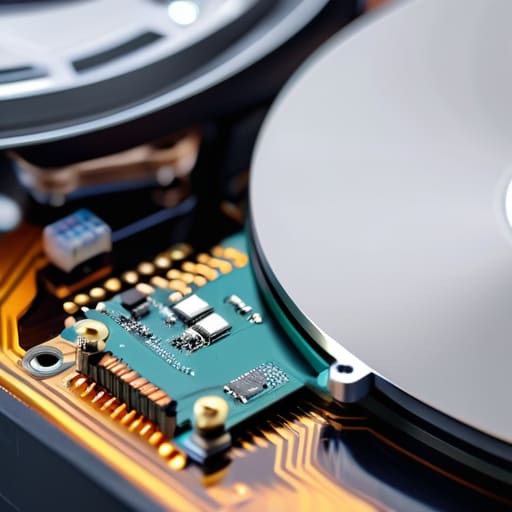
A Hard Disk Drive, or HDD, is a mechanical storage device that uses spinning magnetic platters and a moving read/write head to store your digital life. Its main objective advantage is providing massive amounts of storage capacity at a price point that won’t break your piggy bank.
Think of an HDD like a massive, old-school library where a librarian has to physically walk down long aisles to grab a book for you. It’s incredibly reliable for keeping huge collections of photos or movies safe, but you definitely wouldn’t want to ask that librarian to sprint a marathon. While it might take a moment to find exactly what you’re looking for, it serves as a wonderful, spacious warehouse for all your digital treasures that you don’t need to access in a split second.
The Digital Sprinter: The Solid-State Drive
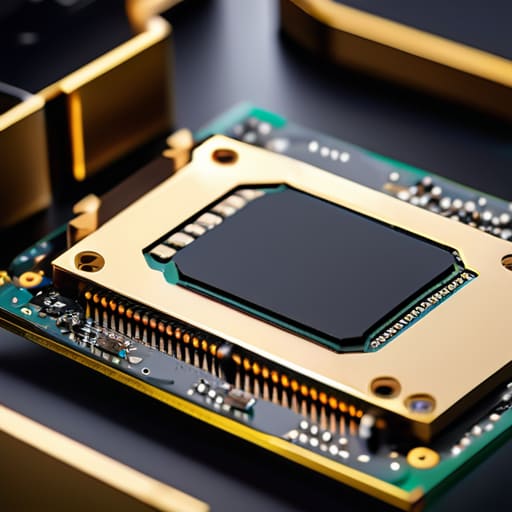
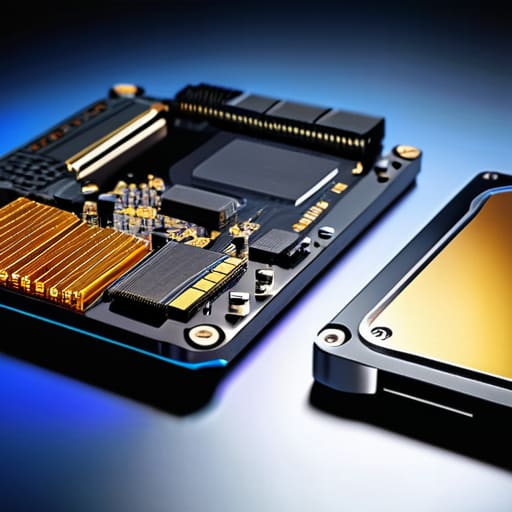
An SSD, or Solid-State Drive, is a modern storage solution that uses flash memory chips to store data electronically, with no moving parts involved. Because it lacks mechanical components, its primary selling point is unmatched speed and durability during everyday tasks.
If an HDD is a librarian walking through aisles, an SSD is more like a lightning-fast magic wand that summons your files the very instant you think of them. There’s no waiting for a disk to spin up or a needle to move; everything just happens. This means your computer boots up in a blink and your apps snap open instantly, making your entire digital experience feel smooth and effortless, much like a well-oiled Rube Goldberg machine where every piece falls into place perfectly.
Comparison of SSD vs. HDD Storage
| Feature | SSD (Solid State Drive) | HDD (Hard Disk Drive) |
|---|---|---|
| Technology | Flash memory chips | Rotating magnetic platters |
| Speed | Extremely fast boot/load | Slower boot/load |
| Durability | High (no moving parts) | Low (prone to physical shock) |
| Noise Level | Silent | Audible clicks/spinning |
| Price per GB | Higher | Lower |
| Best For | OS, Gaming, Pro Apps | Mass storage, Backups |
How Ssd Technology Works a Magic Trick of Pure Speed
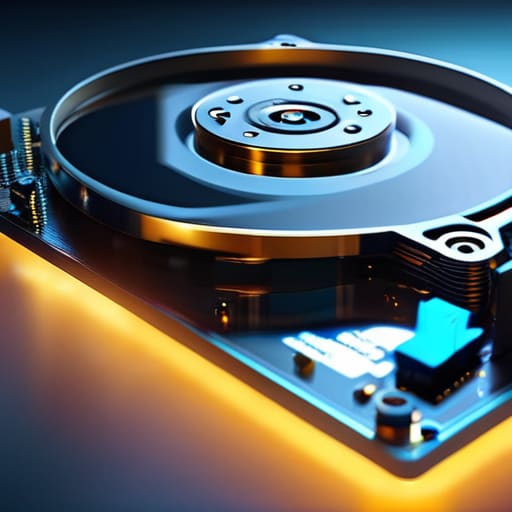
If you’ve ever felt that tiny spark of frustration while waiting for a computer to wake up, you’ve felt the real-world impact of how these devices actually “think.” Understanding the inner workings isn’t just for tech geeks; it’s the secret to knowing why your laptop suddenly feels like a race car or a sluggish snail.
Think of a traditional hard drive like a record player; it has a physical arm that has to manually move across a spinning disk to find your data. It’s a mechanical dance that, while reliable, is bound by the laws of physics and motion. An SSD, however, tosses the moving parts out the window entirely. It uses something called flash memory, which works more like a digital light switch—flipping electrical charges on and off to store information instantly.
Because there are no mechanical arms jogging back and forth, the practical difference is night and day. When you click an app, an SSD retrieves it at the speed of electricity, whereas a hard drive is still busy getting its physical components up to speed.
For pure, unadulterated velocity, the SSD is the undisputed champion.
The Mechanical Hard Drive vs Solid State Drive Dance
Understanding how these two actually “move” is the secret sauce to why your computer feels like a snappy sports car or a sluggish turtle. It’s not just about numbers on a spec sheet; it’s about the physical reality of how your data travels from the storage to your screen.
Think of a traditional hard drive like a tiny, high-speed record player inside your computer. To find a file, a physical arm has to swing across a spinning platter to find the exact right spot. It’s a delicate, mechanical dance that’s prone to hiccups if you bump your desk. An SSD, however, skips the choreography entirely. There are no moving parts; it’s more like a digital light switch that’s either on or off. Because it doesn’t have to wait for a disk to spin up to speed, your files are instantly accessible.
In the real world, this means an SSD is much more rugged for life on the go. If you’re working from a coffee shop, a little bump won’t cause a mechanical catastrophe like it might with an HDD. For sheer reliability and responsiveness, the SSD takes the trophy in this dance-off.
Finding Your Perfect Digital Rhythm
So, as we wrap up our little deep dive, it really comes down to what your digital life needs most. If you’re someone who needs their computer to wake up instantly and launch heavy apps without a single hiccup, an SSD is your absolute best friend. It’s that high-speed lane that keeps everything moving smoothly. However, if you’re a digital hoarder like me—someone with mountains of photos, movies, and old projects that need a safe, budget-friendly home—a traditional hard drive is still a remarkably reliable workhorse for bulk storage. It’s not about which one is “better” in a vacuum, but rather which one fits the specific rhythm of your daily tasks.
At the end of the day, don’t let the technical specs intimidate you. Whether you choose the lightning-fast magic of flash memory or the steady, mechanical reliability of a spinning disk, the most important thing is that you feel empowered to make the choice that works for you. Technology is just a tool, and like the mismatched socks I’m wearing today, it doesn’t have to be perfect or uniform to be wonderfully effective. Grab the gear that helps you create, explore, and connect, and don’t be afraid to tinker until it feels just right!