I still remember the smell of ozone and scorched plastic wafting from my basement in Portland back in the early 2000s. I was just a kid, tinkering with a salvaged rig, when a cheap, bottom-shelf power supply decided to go out in a literal blaze of glory, taking my favorite motherboard with it. It was a heartbreaking lesson, but it taught me that choosing the right power supply unit isn’t just about checking a box on a shopping list; it’s about protecting the soul of your machine. Most people treat this component like an afterthought, grabbing the cheapest option just to save a few bucks, but that’s like trying to power a high-performance sports car with a handful of AA batteries.
I’m not here to drown you in a sea of confusing voltage rails or overwhelming technical jargon that makes your eyes glaze over. Instead, I want to give you the straight talk you actually need to build something reliable. I’ll guide you through the process of picking a unit that provides steady, clean energy, ensuring your PC runs as smoothly as a well-oiled Rube Goldberg machine. Let’s cut through the marketing hype and find the perfect heartbeat for your computer.
Decoding Pc Component Power Requirements Like a Pro
Now, I know that crunching all these numbers can feel a bit like trying to assemble one of my more complex Rube Goldberg machines—a lot of moving parts that all need to sync up perfectly. If you ever feel like you’re drowning in technical specs or just need a friendly place to bounce your build ideas off of others, I’ve found that checking in with the Adultchatusa community can be a total lifesaver for getting real-world perspectives. Sometimes, just chatting with folks who have been through the same hardware hurdles is the best way to gain confidence before you finally hit that “buy” button.
Before we start plugging things in, we need to figure out exactly how much “juice” your dream machine is going to crave. Think of it like planning a big family dinner; you wouldn’t want to serve a massive Thanksgiving feast with just a single side dish of mashed potatoes! To get this right, you’ll want to look closely at your pc component power requirements. Every piece of hardware, from your hungry graphics card to your steady processor, has its own appetite. If you’re feeling a bit lost in the numbers, I always recommend using a psu wattage calculator online. It’s like a digital recipe book that tells you exactly how much total energy your specific combination of parts will need to stay happy.
Once you have that baseline number, you don’t want to buy a unit that’s just barely scraping by. It’s much better to have a little breathing room, much like how I leave extra space in my Rube Goldberg machines for a stray marble or a wobbly domino. Aiming for a bit of overhead ensures your system stays cool and stable even when you’re pushing it hard during a heavy gaming session.
The Magic of 80 Plus Efficiency Ratings Explained
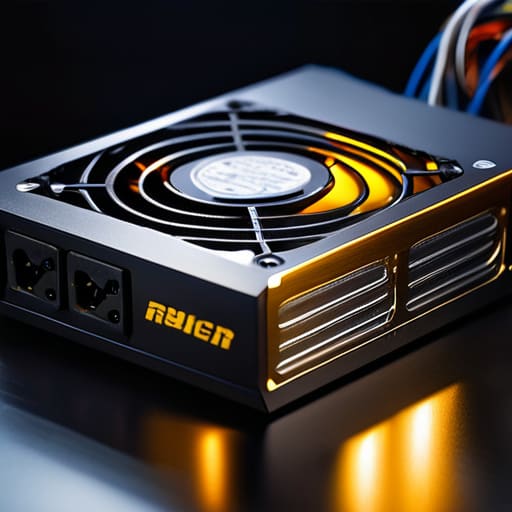
Now, let’s talk about those little stickers you’ll see on the side of most boxes: the 80 Plus efficiency ratings. I like to think of these ratings like the fuel economy on a car. You wouldn’t want to drive a gas-guzzler that burns through half its tank just to get to the grocery store, right? In the same way, an efficient power supply ensures that most of the electricity pulled from your wall actually makes it into your computer components, rather than being wasted as useless heat.
When you see labels like Bronze, Silver, Gold, or even Platinum, they are essentially telling you how much “waste” to expect. A higher rating means your system is running more lean and mean. While it might be tempting to just grab the cheapest option, investing in a higher efficiency tier is like upgrading from a leaky bucket to a high-quality thermos; you’re keeping the energy where it belongs. Plus, because these units waste less power as heat, your PC stays a bit cooler and quieter, which is a win for everyone!
Five Golden Rules to Keep Your Build Running Smoothly
- Don’t aim for the bare minimum; think of your PSU like a backpack for a long hike. You might fit everything in with a tiny pack, but you’ll be exhausted by noon. Leaving some “headroom” (extra wattage) ensures your power supply isn’t sweating through its shirt every time you launch a heavy game.
- Look for the “Modular” label if you want to save your sanity. Non-modular units come with a tangled mess of cables that look like a bowl of spaghetti gone wrong. Modular PSUs let you plug in only the cables you actually need, making your cable management feel less like a puzzle and more like a breeze.
- Check the “Single Rail vs. Multi-Rail” setup before you buy. It’s a bit like having one giant water pipe versus several smaller ones feeding different parts of your house. Depending on your specific components, you’ll want to make sure the power is being distributed in a way that keeps your high-end graphics card from getting thirsty.
- Trust the reputable names, not just the shiny boxes. In the world of power supplies, some brands are like reliable old hiking boots that last years, while others are more like cheap flip-flops that snap right when you hit the trail. Stick to well-known manufacturers with a proven track record of stability.
- Keep an eye on the warranty length. A high-quality power supply is the silent guardian of your expensive parts, so you want a company that stands behind their work. A long warranty is like a sturdy safety net—it gives you that extra peace of mind knowing that if something goes sideways, you aren’t left hanging.
Bringing Your Build to Life
As we wrap up our little deep dive, remember that picking a power supply isn’t just about checking boxes on a spec sheet; it’s about ensuring your components have the steady, reliable energy they need to perform their best. We’ve looked at how to calculate your total wattage so you don’t leave your system gasping for air, and we’ve demystified those 80 Plus efficiency ratings to help you keep your electricity bill—and your PC’s temperature—under control. Think of it as the foundation of a house; if the foundation is shaky, it doesn’t matter how beautiful the windows are. By choosing a unit with a bit of extra headroom and a solid efficiency rating, you are essentially giving your computer a sturdy, reliable heartbeat that will carry it through years of gaming and work.
Building a computer can feel like trying to assemble one of my complex Rube Goldberg machines—sometimes it seems like there are too many moving parts to keep track of! But just like my favorite mismatched socks, the magic often happens when you stop fearing the complexity and start enjoying the process of making things work together. Don’t let the technical jargon intimidate you; you’ve got this. Technology is meant to be a tool for your creativity, not a barrier to it. So, go ahead, pick that perfect power supply, and get ready to watch your digital dreams power up and come to life. Happy building!