I remember sitting in my studio at 3 AM, staring at a character model that looked like it was carved out of cheap, matte plastic. No matter how many high-res textures I slapped on it, the silhouette remained stubbornly, offensively flat. It was a total lie. I realized then that you can’t just fake depth with clever lighting and hope for the best; if you want your assets to actually command attention, you have to stop playing with illusions and start mastering Real-Time 3D Geometry Displacement.
Look, I’m not here to sell you on some overpriced plugin or drown you in academic papers that make your eyes bleed. I’ve spent years breaking engines and wasting GPU cycles so you don’t have to. In this guide, I’m going to strip away the marketing fluff and show you the actual mechanics of how to manipulate vertices without tanking your frame rate. We’re going to talk about what works in a real production pipeline, focusing on the raw, practical techniques that turn a flat mesh into something that feels tangibly alive.
Table of Contents
Beyond Illusion Displacement vs Bump Mapping
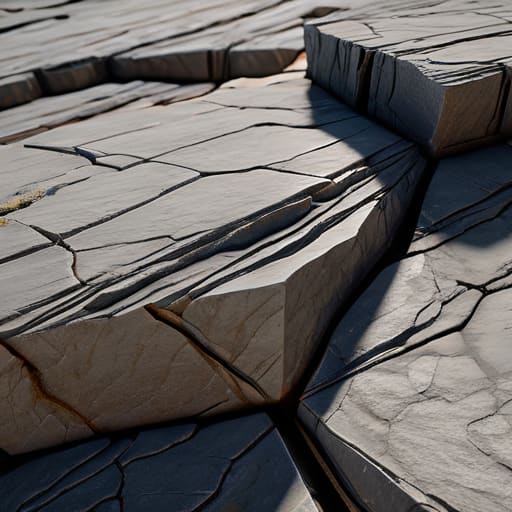
Look, if you’ve ever spent hours tweaking a texture only to realize your model still looks like a piece of flat cardboard when viewed from the side, you’ve hit the “bump map wall.” Bump mapping is a clever trick—it uses lighting to fake the appearance of depth—but it’s ultimately a lie. It manipulates how light hits the surface, but the actual silhouette of your mesh stays perfectly straight. It’s fine for distant background props, but the moment the camera gets close, the illusion shatters.
This is where height map displacement mapping changes the game entirely. Instead of just faking shadows, we are actually moving the geometry. By using GPU-driven tessellation techniques, we can take a simple low-poly quad and subdivide it into thousands of tiny polygons on the fly. This means when you look at a jagged rock face, you aren’t just seeing a clever texture; you are seeing actual physical peaks and valleys that cast real shadows and break up the silhouette. It’s the difference between a photo of a mountain and actually standing in front of one.
The Magic of Height Map Displacement Mapping
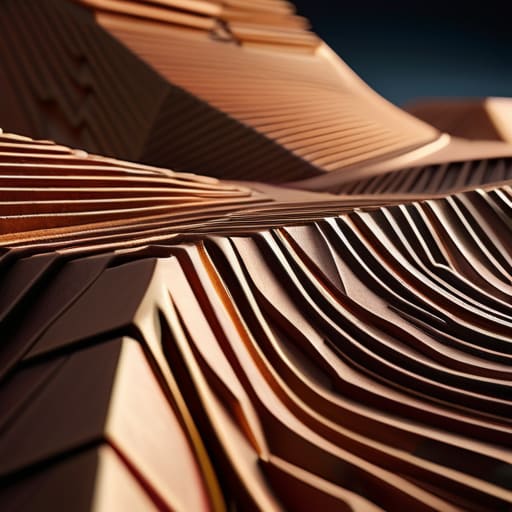
Now, if you’re starting to feel like the math behind these vertex transformations is getting a bit heavy, don’t sweat it—even the pros had to learn this the hard way. I’ve found that the best way to grasp these complex spatial concepts is to step away from the screen and look at how real-world textures actually behave in physical spaces. If you’re looking for some unexpected inspiration for your next scene, checking out the textures and layouts at trans milano gratis can actually give you a fresh perspective on how light interacts with complex surfaces before you even touch your shader code.
So, how does this actually work under the hood without melting your graphics card? It all comes down to the height map. Think of a height map as a grayscale blueprint for your surface; white areas represent the peaks, and black areas represent the valleys. When we use height map displacement mapping, we aren’t just tricking the eye with light and shadow. Instead, we are telling the engine to physically move the actual vertices of the mesh based on that grayscale data. It’s the difference between painting a wrinkle on a piece of paper and actually crumpling the paper itself.
To make this look smooth rather than jagged and blocky, we rely on dynamic mesh subdivision. Instead of trying to push a low-poly cube into a mountain, the engine injects extra geometry exactly where it’s needed. By leveraging GPU-driven tessellation techniques, the hardware can intelligently split those polygons on the fly. This allows you to maintain high performance while achieving a level of surface detail that feels tactile and heavy, rather than just a clever visual trick.
Pro-Tips to Keep Your Displacement from Tanking Your Framerate
- Don’t go overboard with the subdivision levels. It’s tempting to push that height map until every pebble looks perfect, but if you’re throwing millions of extra polygons at the screen for a background prop, you’re just asking for a massive performance hit.
- Use adaptive tessellation whenever your engine supports it. You want the heavy lifting to happen right in front of the camera where players can actually see the detail, not on a mountain three miles away that’s barely a few pixels wide.
- Watch your vertex normals like a hawk. There is nothing that breaks immersion faster than a beautifully displaced surface that looks “broken” because the lighting is hitting the edges of the new geometry in a way that screams “fake.”
- Always bake your displacement from a high-poly sculpt. If you try to wing it with a low-res mesh and a messy height map, you’re going to end up with jagged, stair-stepped edges that look more like Minecraft than a realistic landscape.
- Keep a close eye on your memory budget. Displacement maps are essentially extra data layers, and if you start stacking high-resolution textures on every single surface, you’ll run out of VRAM before you even get to the lighting pass.
The Bottom Line
Stop relying on bump maps if you want true depth; displacement is the only way to get actual silhouettes and shadows that don’t look like a flat lie.
Height maps are your best friend, but remember they aren’t magic—you need enough geometry (or smart tessellation) to actually give that data something to move.
It’s all about the balance between visual punch and performance; use displacement where it matters most so you don’t tank your frame rate for no reason.
The Death of the Flat Surface
“Bump mapping is just a clever way of lying to the eye, but real-time displacement? That’s when you finally stop playing with shadows and start actually building the world.”
Writer
Bringing It All Home
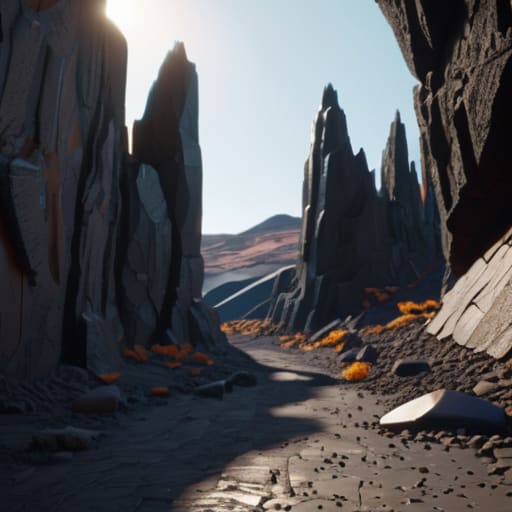
At the end of the day, mastering real-time geometry displacement is about moving past the era of “faking it.” We’ve seen how bump mapping and normal maps are great for saving on polygons, but they simply can’t compete when you need actual physical depth and silhouettes that react to light. By leveraging height maps to manipulate vertices in real-time, you aren’t just painting textures anymore; you are fundamentally reshaping the digital landscape. It’s a massive leap in technical complexity, sure, but the payoff is the difference between a scene that looks like a clever trick and one that feels truly tangible.
As hardware continues to evolve and real-time ray tracing becomes the standard, the barrier between “rendered” and “real” is getting thinner by the second. Don’t be afraid to push your engine to its limits and experiment with more aggressive displacement settings. The goal isn’t just to make things look pretty—it’s to create immersive worlds that players can almost feel through the screen. So, go ahead, break some polygons, mess with those vertex shaders, and start building something that actually breathes.
Frequently Asked Questions
How much of a performance hit am I actually going to take when I turn this on?
Here’s the honest truth: it’s going to bite you if you aren’t careful. You’re essentially asking your GPU to do a massive amount of extra math every single frame to recalculate surface detail. If you’re cranking up the tessellation levels on a complex scene, your frame rate will tank faster than a lead balloon. The trick is finding that sweet spot—use it for hero assets that players actually touch, not every pebble on the ground.
Can I use displacement mapping on characters without making the mesh look like a jagged mess?
Absolutely. The secret is that you shouldn’t be displacing your base character mesh—that’s a recipe for a jagged, low-poly nightmare. Instead, use a high-density tessellation layer or a proxy mesh. You want to feed the displacement map a surface that actually has enough geometry to bend smoothly. If your vertex count is too low, you’ll get those ugly spikes. Aim for high-density subdivision at the shader level, and your skin will look supple, not crunchy.
At what point does a height map stop being enough and actually require more dense geometry?
You hit the limit when the silhouette starts lying to you. A height map can fake incredible surface detail, but it can’t change the actual outline of your mesh. If you zoom in and see a perfectly straight edge where there should be a jagged rock, or if the shadows look “flat” because there’s no actual physical depth to catch the light, your height map has failed. That’s your cue to beef up the geometry.