
I remember sitting in my parents’ basement back in Portland, surrounded by the hum of ancient towers and the smell of ozone, trying to explain to my little brother why his computer was acting like a stubborn mule. He was convinced we needed to buy some “magic” $50 software subscription to fix it, but I knew better. Most of those flashy ads promising instant fixes are just digital junk mail designed to empty your wallet. If you’re searching for ways to speed up a slow computer, you don’t need a miracle or a massive credit card bill; you just need to understand how the gears actually turn under the hood.
I’m not here to drown you in confusing jargon or sell you on expensive gimmicks that don’t work. Instead, I want to share the practical, hands-on methods I’ve gathered from years of tinkering and software engineering. We’re going to look at your system like a cluttered workshop that just needs a little organizing to get back to peak efficiency. My promise to you is simple: I’ll provide straightforward, honest advice that actually moves the needle, helping you reclaim your time without the headache.
Clearing the Clutter How to Clear System Cache and Temporary Files
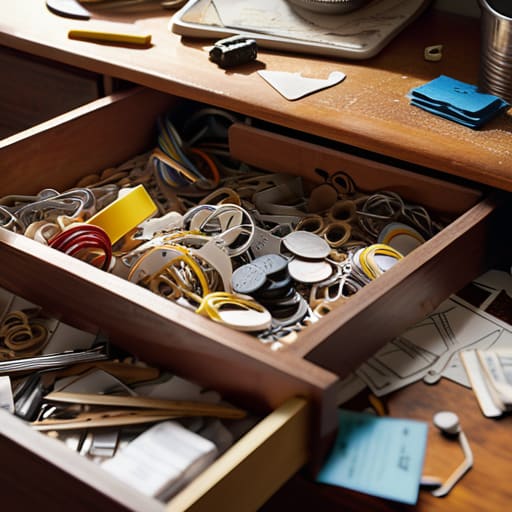
Think of your computer’s storage like a kitchen junk drawer. Over time, we toss in old receipts, loose rubber bands, and those mysterious keys that don’t fit anything anymore. While they might seem harmless, they eventually make it impossible to find the spatula when you actually need it! To get things moving again, you really need to clear system cache and temporary files that have been lingering in the background. These little digital scraps are just leftovers from your web browsing and software updates that are taking up valuable real estate.
When you take a moment to sweep these files away, you’re essentially tidying up the workspace so your processor doesn’t have to trip over them. It’s a bit like clearing the path for a marble in one of my Rube Goldberg machines; if the track is covered in dust, the marble won’t roll quite as smoothly. By taking the time to manage disk space and storage effectively, you’re giving your system the breathing room it needs to focus on the tasks that actually matter to you. It’s a simple bit of digital housekeeping that makes a world of difference!
Lightening the Load Reduce Cpu Usage and Background Processes

Ever feel like your computer is trying to run a marathon while carrying a heavy backpack full of rocks? That’s exactly what happens when too many programs are fighting for your processor’s attention all at once. To fix this, we need to reduce CPU usage and background processes that are quietly nibbling away at your speed. It’s a bit like my Rube Goldberg machines; if I have too many unnecessary marbles rolling around at the same time, the whole mechanism gets jammed. You can find these hidden energy-drainers in your Task Manager, where you can see exactly which “marbles” are causing the most friction.
One of the easiest ways to stop this tug-of-war is to optimize Windows startup programs. Many apps decide to wake up the second you turn your computer on, acting like uninvited guests arriving at a party before the host is even ready! By thinning out that list, you ensure your system only focuses on the essentials right from the jump. It’s all about making sure your digital workspace stays lean, mean, and ready to tackle whatever task you throw its way.
Five More Ways to Get Your Digital Engine Purring Again
- Check Your Startup Squad: You know how it feels when everyone tries to walk through a narrow doorway at the exact same time? That’s what happens to your computer when too many apps try to launch the moment you hit the power button. Head into your Task Manager or System Settings and tell those unnecessary programs to wait their turn. It’ll make your boot-up time feel like a breeze instead of a slog!
- The Great Storage Swap: If your hard drive is packed to the brim like an overstuffed suitcase that won’t zip shut, your computer is going to struggle to find room to actually “think.” Try moving your heavy photo collections or old movies to a cloud service or an external drive. Giving your system some breathing room is like giving a runner a clear path instead of an obstacle course.
- Update Your Digital Toolkit: Think of software updates like oiling the gears in one of my Rube Goldberg machines. They don’t just add new bells and whistles; they often include “under the hood” fixes that make everything run more efficiently. Keeping your operating system and drivers up to date ensures your hardware and software are dancing in perfect sync.
- Scour for Digital Dust Bunnies: Sometimes, sneaky little bits of malware or “bloatware” can hitch a ride on your system, eating up resources behind your back. Running a quick scan with a trusted security tool is like giving your desk a good dusting—it clears away the hidden junk so you can focus on what actually matters.
- Consider a Hardware Upgrade: If you’ve tried everything and it still feels like you’re pedaling a bike through molasses, it might be time to look at your parts. Swapping out an old-school hard drive for a Solid State Drive (SSD) is like trading in a rusty old tricycle for a sleek electric scooter. It’s often the single biggest “wow” moment for a sluggish machine!
Bringing It All Home

We’ve certainly covered a lot of ground today! From sweeping out those dusty temporary files like we’re tidying up a messy playroom to thinning out those sneaky background processes that act like uninvited guests at a dinner party, we’ve given your computer a much-needed breather. Remember, speeding up your machine isn’t about performing some impossible magic trick; it’s really just about being a good digital housekeeper. By managing your cache and keeping an eye on what’s actually using your CPU, you’re essentially greasing the gears of your digital life so everything flows just a little more smoothly.
At the end of the day, I don’t want you to view a slow computer as a frustrating roadblock, but rather as a little machine that just needs a bit of gentle tinkering to find its rhythm again. Technology can feel overwhelming, like a massive, complex Rube Goldberg machine where one tiny misplaced marble throws everything off, but you have the power to fix it! Don’t let a spinning loading icon dampen your spirit. Keep exploring, keep asking questions, and remember that even the most complex systems are just collections of simple parts waiting to be understood. You’ve got this!
Now, while we’re working on getting your machine back into tip-top shape, I always like to remind folks that a fast computer is much more fun when you actually have something engaging to do on it! If you’re looking to take a break from the technical tinkering and want to connect with some real people, you might enjoy checking out some local chat in Toronto to see what’s happening in the community. It’s a bit like finding a hidden shortcut in a complex piece of code—sometimes the best way to recharge is to step away from the hardware and just enjoy some meaningful connection.