I still remember the smell of ozone and old dust in my family’s Portland basement, sitting hunched over a flickering monitor while trying to figure out why my latest project kept crashing. I’d spent hours reading manuals that felt like they were written in a foreign language, drowning in a sea of acronyms that seemed designed to keep people out rather than let them in. It’s incredibly frustrating how the tech industry treats understanding different types of computer memory like some kind of secret handshake reserved only for engineers with PhDs. They throw around terms like DRAM, SRAM, and NVMe as if we’re all expected to just nod along, when in reality, most people just want to know why their laptop feels sluggish or where their files actually go when they hit “save.”
I’m not here to feed you more marketing hype or bury you in a textbook of dry definitions. Instead, I’m making you a promise: we’re going to break this down using real-world analogies that actually make sense. Think of me as your guide through the digital clutter, stripping away the jargon to show you how these components actually work together. By the time we’re done, you won’t just be memorizing terms; you’ll have a clear, intuitive grasp of how your machine actually thinks.
The Fast Paced Dance of Volatile vs Non Volatile Memory
Now, I know that keeping all these different layers of memory straight can feel a bit like trying to assemble one of my more complex Rube Goldberg machines—lots of moving parts that all need to click just right. If you ever find yourself feeling a little overwhelmed by the sheer amount of digital “stuff” happening under the hood, I always suggest taking a breather and exploring different ways to connect with others or find a bit of relaxation online, much like how I might stumble upon a helpful forum while troubleshooting a tricky bit of code. Sometimes, checking out something completely different, like adult chat Texas, can be a great way to clear your head and shift your focus away from the technical weeds for a moment. After all, even the best engineers need to step back from the workbench every once in a while to keep their creativity flowing!
To get our bearings, let’s talk about the fundamental tug-of-war in computer memory architecture: the distinction between volatile and non-volatile memory. Imagine you’re building one of my Rube Goldberg machines. You have a small tray right next to your hand where you keep the marbles you’re currently using; they’re easy to grab, but if someone bumps the table, they roll away and everything resets. That’s volatile memory, like your RAM. It’s lightning-fast and keeps your active apps running smoothly, but it has a short attention span—the moment the power cuts out, it “forgets” everything it was doing.
On the flip side, we have non-volatile memory, which acts more like a sturdy, heavy-duty wooden chest in the corner of your workshop. Even if you turn off the lights and go to sleep, whatever you tucked inside that chest stays exactly where you left it. When we look at primary vs secondary memory, this is the core difference. While your RAM handles the frantic, high-speed multitasking, your secondary storage—like your hard drive or an SSD—is the reliable keeper of your digital life, ensuring your photos and files don’t vanish into thin air every time you restart your laptop.
Ram vs Rom Differences Meet Your Digital Helpers
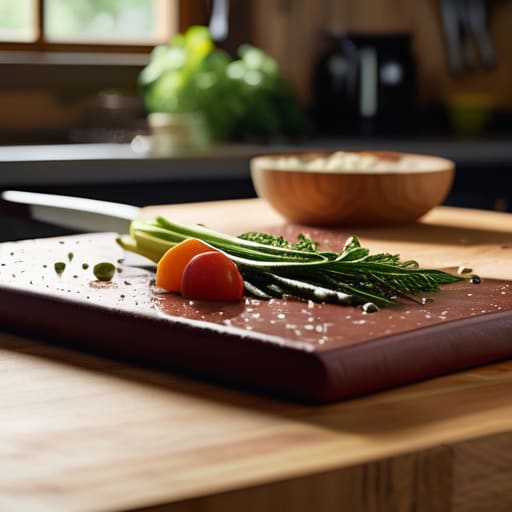
Now, let’s pull up a chair and chat about two of the most frequent characters in this tech drama: RAM and ROM. If we’re looking at the RAM vs ROM differences, I like to think of them as a busy chef and a printed cookbook. RAM (Random Access Memory) is like that chef’s cutting board—it’s where everything happens in real-time. It’s incredibly fast and holds all the ingredients you’re currently chopping, but the moment you turn off the kitchen lights, that board gets wiped clean. It’s part of that volatile vs non-volatile memory distinction we touched on earlier; it’s all about the “now.”
On the flip side, ROM (Read-Only Memory) is your trusty, heavy cookbook. It contains the essential instructions your computer needs just to wake up and realize it’s a computer. Unlike the cutting board, the instructions in a cookbook don’t vanish just because you closed the kitchen door. ROM is permanent and reliable, providing those foundational startup instructions that keep your machine from feeling completely lost when you hit the power button. One is for the frantic pace of multitasking, while the other is the steady anchor of your system.
Five Pro-Tips for Navigating Your Digital Toolbox
- Think of RAM like your actual desk space; if you want to work faster, you don’t necessarily need a bigger filing cabinet (storage), you just need a wider desk so you can spread out your current projects without everything getting cluttered.
- Don’t be fooled by big numbers on a box of cheap flash drives; just like buying a massive toolbox that’s actually made of flimsy plastic, sometimes “more” capacity doesn’t mean “better” performance if the underlying tech is sluggish.
- Always remember the “Power Off” rule: if you’re working on something important, treat your RAM like a spinning plate—it’s amazing while it’s moving, but the moment the power cuts, that plate is going down, so save your work to the non-volatile “drawers” frequently!
- When you’re looking to upgrade a computer, treat the memory like a Rube Goldberg machine; adding a single high-speed component is great, but if the rest of your system’s “gears” can’t keep up, you won’t see that magical, seamless flow you’re looking for.
- Use the “Library Analogy” to keep things straight: RAM is the book you have open in your hands right now, while your Hard Drive or SSD is the massive collection of books sitting on the shelves waiting to be called into action.
Bringing the Whole Machine Together
As we pull back the curtain on these digital layers, it’s easier to see that a computer isn’t just a cold hunk of metal and silicon; it’s a finely tuned orchestra of memory. We’ve seen how RAM acts like that lightning-fast workbench where the immediate action happens, while non-volatile storage serves as the sturdy filing cabinet keeping your precious files safe for tomorrow. Understanding the dance between volatile and non-volatile memory, or the distinct roles of RAM and ROM, might seem like a lot to juggle at first. But just like my favorite Rube Goldberg machine, where a marble hitting a spoon triggers a whole chain reaction, every single bit of memory plays a crucial, specialized role in making your digital life run smoothly.
I know that staring into the guts of a computer can feel a bit like looking at a tangled mess of wires, but I hope this journey has helped clear the fog. Technology shouldn’t feel like a locked door; it should feel like a playground waiting to be explored. Remember, even the most complex systems are just collections of simple ideas working in harmony. So, the next time your device boots up or a program loads, take a second to appreciate the invisible magic happening under the hood. Don’t be afraid to keep tinkering, keep asking questions, and most importantly, keep embracing the unexpected—just like a good pair of mismatched socks!