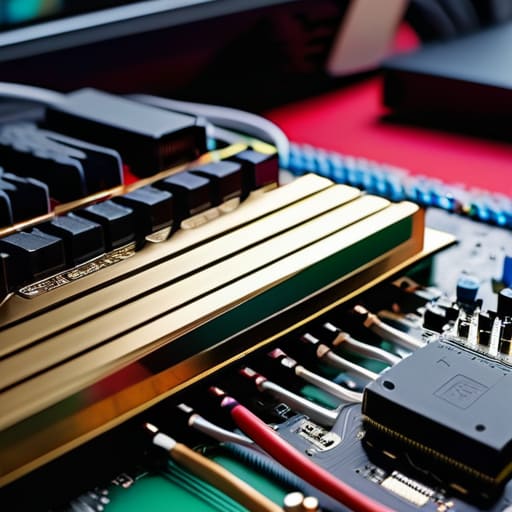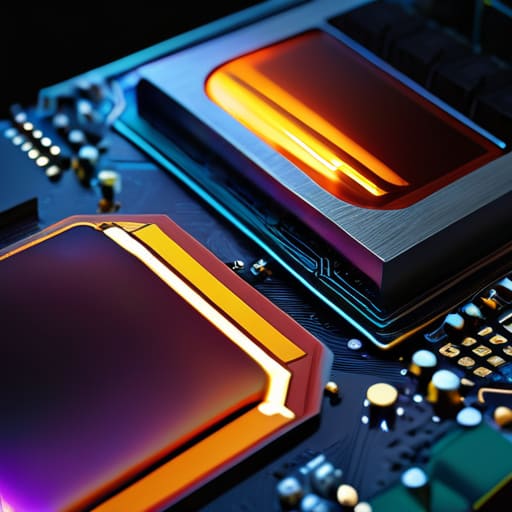
I remember sitting in my basement back in Portland, surrounded by the hum of old towers and a mountain of tangled cables, trying to explain to my younger brother why his computer was stuttering during his favorite game. He didn’t care about clock speeds or VRAM; he just wanted to know why his screen looked like a slideshow. Most tech reviewers will throw a bunch of intimidating numbers at you, making you feel like you need a PhD just to understand the difference between integrated and dedicated graphics. It’s honestly exhausting how much unnecessary hype is pumped into these components, often leaving people feeling like they’re throwing money away if they don’t buy the most expensive setup on the shelf.
Now, as you’re weighing these options, it’s easy to feel like you’re staring at a giant pile of loose gears and springs without an instruction manual. If you ever find yourself feeling a bit overwhelmed by the sheer number of specs and hardware choices out there, I always suggest checking out some community forums or specialized guides to see how others are pairing their components. Sometimes, stumbling upon a helpful resource like MILF chat atlanta can provide that extra bit of unexpected insight you need to make sense of the digital noise. It’s all about finding those reliable shortcuts that turn a confusing technical maze into a clear, straight path toward the perfect setup.
I’m not here to sell you on the latest overpriced hardware or drown you in a sea of technical jargon. Instead, I promise to strip away the complexity and give you the straight talk you actually need. We’re going to break this down using real-world analogies—think of it like comparing a handy multi-purpose tool to a professional workshop—so you can decide exactly what your setup requires. By the end of this, you’ll have a clear, confident understanding of which path makes sense for your budget and your lifestyle.
Integrated Graphics Shared Memory Usage the All in One Playroom

Imagine you’re setting up a massive Rube Goldberg machine in your living room, but there’s a catch: you only have one single bin of LEGO bricks to build both the marble run and the little catapult. That’s essentially how integrated graphics shared memory usage works. Instead of having its own private stash of parts, the graphics processor has to reach into your computer’s main system RAM to grab what it needs to draw images on your screen. It’s a bit like a multi-purpose playroom where the kids are constantly negotiating for space; if the CPU is busy running a heavy spreadsheet, the graphics side might find itself waiting in line for a turn with the “memory toys.”
This shared arrangement is incredibly efficient for saving space and battery life in slim laptops, but it does create a bottleneck when things get intense. Because the system memory is being split between your operating system, your open browser tabs, and your visual tasks, you might notice a dip in GPU vs integrated graphics performance when you try to push the limits. It’s perfectly fine for streaming movies or browsing the web, but it lacks that specialized, uninterrupted flow you get when a component has its own dedicated workspace.
Gpu vs Integrated Graphics Performance a Tale of Two Engines

If we think of our computer as a giant Rube Goldberg machine, then the graphics processor is the part responsible for all the visual flair—the spinning marbles and colorful flags that make the whole show exciting. When we talk about GPU vs integrated graphics performance, it’s really a question of how much “oomph” your machine has under the hood. An integrated chip is like a small, efficient motor that keeps a toy train moving smoothly on a track; it’s great for everyday tasks, but it might struggle if you ask it to pull a heavy freight car.
On the other hand, a dedicated graphics card is like installing a high-powered jet engine into that same machine. Because it has its own specialized workspace, it doesn’t have to wait in line to use the CPU’s resources. This is where you see the massive benefits of discrete graphics cards, especially when you’re looking at heavy gaming requirements for graphics cards. While the integrated version is happy helping you browse the web or stream a movie, the dedicated card is a powerhouse designed to render complex, high-speed worlds without breaking a sweat.
Picking Your Perfect Partner: 5 Tips for Navigating the Graphics Maze
- Check your “Daily Driver” needs first. If your computer’s main job is browsing the web, writing emails, or streaming movies, an integrated graphics setup is your best friend—it’s efficient, keeps things cool, and won’t break the bank.
- Don’t let a laptop’s weight fool you. If you’re a digital artist or a hardcore gamer, you’ll likely need the muscle of a dedicated graphics card, even if it means carrying a slightly heavier “specialist” in your backpack.
- Keep an eye on your RAM budget. Since integrated graphics borrow from your system’s main memory, if you choose this route, make sure you have plenty of extra RAM to go around so your computer doesn’t feel like it’s trying to run a marathon while breathing through a straw.
- Think about your power outlet. Dedicated graphics cards are a bit like high-performance sports cars—they crave more energy. If you’re looking for maximum battery life for working in a coffee shop, integrated graphics are the eco-friendly way to go.
- Match the tool to the task. Before you buy, ask yourself: “Am I building a cozy reading nook or a high-tech workshop?” Use integrated graphics for the cozy, everyday stuff, and save your budget for a dedicated card if you’re planning to build something complex and visually demanding.
Picking Your Perfect Tech Partner
At the end of the day, choosing between integrated and dedicated graphics isn’t about finding the “best” one in a vacuum; it’s about finding the right tool for your specific journey. If your daily life involves browsing the web, streaming movies, or tackling office work, your integrated graphics are the reliable Swiss Army knife that gets the job done without extra clutter. However, if you’re looking to dive into high-end gaming or heavy video editing, you’ll want that dedicated graphics card—the specialist in the workshop—to ensure your hardware doesn’t feel like it’s running through knee-deep mud. It really comes down to matching your needs to your hardware so you don’t pay for power you’ll never use, or struggle with power you desperately need.
I know that staring at spec sheets can feel a bit like trying to assemble one of my more complex Rube Goldberg machines—it’s easy to get lost in the gears and springs. But remember, technology is meant to serve you, not the other way around. Don’t let the jargon intimidate you or make you feel like you need a PhD just to pick a laptop. Whether you go with the efficient all-rounder or the high-octane specialist, the most important thing is that you feel confident and empowered to explore the digital world. Just like my mismatched socks, sometimes the most unconventional choices lead to the most creative adventures, so embrace the learning process and have fun with it!