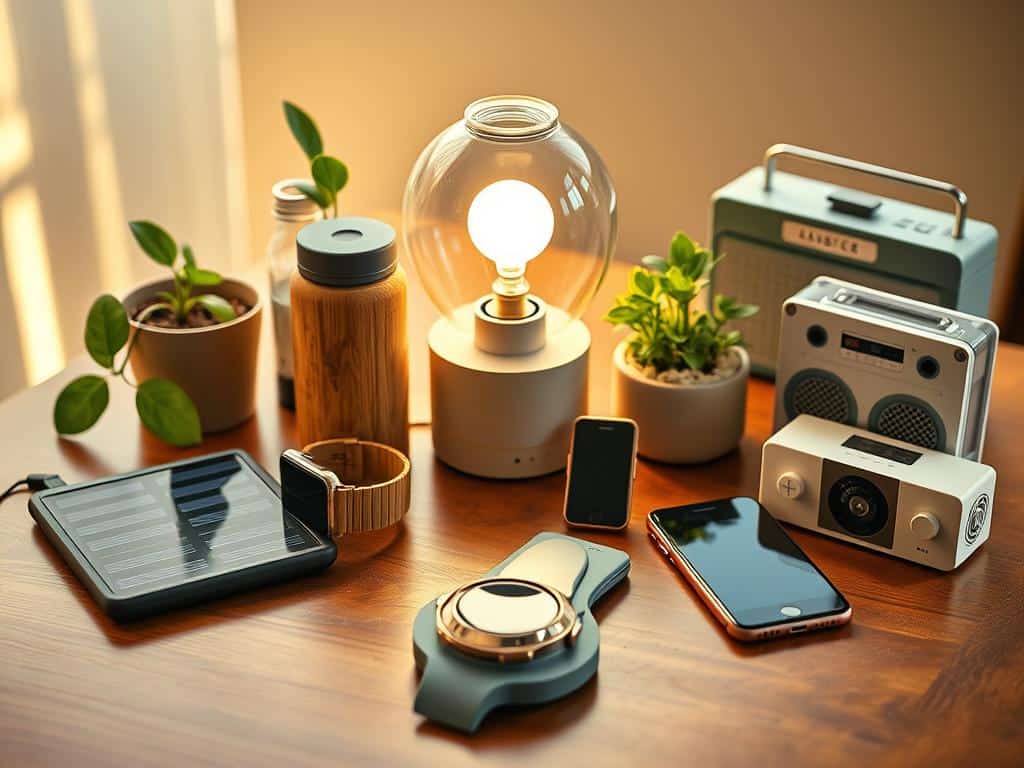
Have you ever sat down to finally finish a project, only to have your phone buzz on the table like a caffeinated bumblebee, shattering your focus into a million tiny pieces? It’s that frantic, rhythmic ping-ping-ping that makes you feel like you’re constantly playing catch-up with a digital crowd that never sleeps. I’ve spent countless hours in my workshop, trying to build these intricate Rube Goldberg machines where every marble and lever has its place, yet I often find my own concentration derailed by a single, poorly timed alert. Learning how to manage smartphone notifications effectively shouldn’t feel like solving a high-level calculus equation; it should feel as simple as clearing a cluttered workbench so you can actually see what you’re working on.
I’m not here to give you a lecture on “digital minimalism” or suggest you toss your device into a river and move to the woods. Instead, I want to share some straightforward, battle-tested tactics I’ve gathered from years of tinkering with software and trying to reclaim my own headspace. We’re going to strip away the jargon and get down to the brass tacks of setting boundaries with your tech. My goal is to help you turn that constant digital chatter into a quiet, helpful companion that serves you, rather than a noisy distraction that runs your life.
Optimizing Mobile Notification Settings Like a Master Tinkerer

Think of your phone’s settings menu like a massive, cluttered junk drawer in a workshop. If you leave every single screwdriver, loose screw, and random rubber band sitting right on top, you’ll never find the wrench you actually need when it’s time to work. To start optimizing mobile notification settings, I like to go through my apps one by one, much like sorting through a bin of mixed Lego bricks. If an app doesn’t serve a direct, immediate purpose—like a game or a shopping app constantly nudging you—it doesn’t deserve a seat at the table. Turning off those non-essential pings is the quickest way to reduce digital distractions and reclaim your headspace.
Once you’ve pruned the excess, you can start building a more intentional system using smartphone focus modes. I view these as different “stations” in my Rube Goldberg workshop; when I’m at the “Deep Work” station, I don’t want a rogue marble or a stray ping interrupting my flow. By setting up specific profiles for work, sleep, or even reading time, you aren’t just silencing your phone—you’re curating your digital environment to ensure that when your device does make a sound, it’s actually something worth your attention.
Managing App Alert Fatigue to Reclaim Your Quiet Moments

Ever feel like your phone is a Rube Goldberg machine that’s gone haywire? You know the one—where a single text triggers a domino effect of pings, buzzes, and light flashes until your entire desk feels like a chaotic construction zone. That constant barrage is what we call managing app alert fatigue, and it’s a real energy drain. It’s not just a minor annoyance; it’s like trying to build a delicate marble run while someone is constantly shaking the table. When every app demands your attention at once, your brain never gets a chance to settle into a steady rhythm.
To get your peace back, I highly recommend leaning into smartphone focus modes. Think of these as a “Do Not Disturb” sign you hang on your digital front door. Instead of letting every random notification break your flow, you can curate exactly who gets through the gate. By setting up these boundaries, you aren’t just silencing noise; you’re actively reclaiming your mental workspace. It’s about moving away from being a reactive user and becoming the intentional architect of your own digital environment.
Five Little Tweaks to Get Your Digital Life Back on Track
- Group your notifications into “VIP only” circles. Think of it like a guest list for a backyard BBQ; you wouldn’t let every single person in town show up at once, so only allow the apps that truly matter—like your family or your calendar—to interrupt your flow.
- Embrace the “Do Not Disturb” scheduled mode. It’s like setting a ‘closed’ sign on your shop door; by scheduling quiet hours while you sleep or work, you’re telling the digital world that you’ll be back online when you are ready, not when a random app decides it’s time to shout.
- Perform a “Notification Audit” once a month. Just like I’d clear off a cluttered workbench to make room for a new Rube Goldberg project, take five minutes to look through your app list and silence any app that’s just making noise without adding any real value to your day.
- Turn off those pesky red “badge” icons. Those little red numbers are like tiny, persistent bells ringing in your ear; by disabling them, you stop that subconscious urge to check your phone every time a number pops up, letting you focus on the task right in front of you.
- Use “Summary” features to batch the chaos. Instead of getting twenty tiny pings throughout the afternoon, set your phone to deliver a single, organized digest of non-urgent updates at a specific time. It’s like gathering all your loose screws into one neat tray instead of leaving them scattered across the floor.
Reclaiming Your Digital Workspace
As we wrap up our little tinkering session, remember that managing your notifications isn’t about being a tech hermit; it’s about being the architect of your own attention. We’ve looked at how to dive into those deep settings to silence the unnecessary noise, how to curate your app alerts so they actually serve a purpose, and how to stop that constant “ping” from hijacking your focus. Think of it like fine-tuning a complex Rube Goldberg machine; every little adjustment you make to your settings ensures that the gears turn smoothly without a single unexpected collision. By taking control of these digital levers, you’ve transformed your phone from a distracting, noisy gadget into a streamlined tool that works for you, rather than against you.
At the end of the day, technology should feel less like a demanding boss and more like a helpful companion sitting quietly in the corner of the room. Don’t be afraid to keep experimenting with your setup—much like how I embrace my mismatched socks, there’s no single “correct” way to organize your digital life as long as it brings you peace. The goal is to create a space where you can engage with the world without being constantly interrupted by the digital static. So, go ahead, silence those non-essential pings, reclaim your quiet moments, and start using your device to empower your creativity instead of draining your energy.
If you ever feel like your digital life is becoming a bit too cluttered to manage on your own, I always suggest looking for tools that help you find a sense of balance. It’s a lot like when I’m building one of my Rube Goldberg machines; if one tiny marble goes rogue, the whole sequence falls apart, so you need a way to reset the flow. I’ve found that checking out resources like www.flingcanada.com can be a wonderful way to discover new perspectives on staying organized and centered. Taking that small step to find a bit of intentional clarity can make all the difference in turning your device back into a tool that serves you, rather than a distraction that runs the show.