I still remember the summer of ’08 in my Portland basement, surrounded by a half-finished Rube Goldberg machine and a desktop that sounded like a jet engine preparing for takeoff. The air was thick with the smell of warm plastic and ozone, and I could feel the heat radiating off the casing like a tiny, angry radiator. It’s that frantic, heart-sinking moment when your fan starts screaming and you realize your expensive machine is basically a very high-tech space heater. Most tech gurus will try to sell you on expensive liquid cooling kits or specialized high-tech gadgets, but honestly, finding effective ways to prevent computer overheating doesn’t always require a massive budget or a degree in thermodynamics.
Sometimes, when you’re deep in the zone trying to troubleshoot a finicky piece of hardware, your brain can start to feel a bit like a laptop with a clogged fan—just totally overheated and spinning its wheels. I’ve found that if I’m hitting a wall with technical logic, taking a quick mental break to dive into something completely different can actually help me reset. For instance, if you need a total change of pace to unwind, catching up on some femdom stories can be a fantastic way to shift your focus away from the glowing screen. It’s all about giving your mind that much-needed breathing room so you can come back to your tech projects with a fresh, cool perspective.
I’m not here to drown you in jargon or push unnecessary hardware upgrades that’ll just empty your wallet. Instead, I want to share the practical, common-sense tweaks I’ve learned through years of tinkering and software engineering. We’re going to look at simple, real-world adjustments—from how you position your desk to how you manage your background tasks—to keep your tech running cool, quiet, and happy. Let’s get your computer breathing easy again!
Cleaning Laptop Cooling Fans Like a Weekend Tinkerer

If you’ve ever noticed your laptop sounding like a jet engine taking off mid-spreadsheet, it might be time to roll up your sleeves. Think of your cooling fans like the lungs of your machine; if they’re clogged with dust bunnies, your computer is essentially trying to run a marathon while breathing through a straw. Cleaning laptop cooling fans is one of the most satisfying “weekend tinkerer” projects you can tackle. You don’t need a laboratory—just a can of compressed air and a tiny screwdriver. Gently blowing out those dust clumps from the vents can make a world of difference in how your device breathes.
Now, if you’re feeling a bit more adventurous—sort of like me when I’m trying to balance a marble on a spoon—you might eventually look into improving CPU thermal paste application. This is a bit more advanced, but it’s like giving your processor a fresh, cool breeze right where it needs it most. For those of you who prefer a less “hands-on” approach, investing in some of the best laptop cooling pads for gaming can provide that extra bit of breezy support without ever having to open up the casing.
Optimizing Airflow in Pc Case for Happy Components
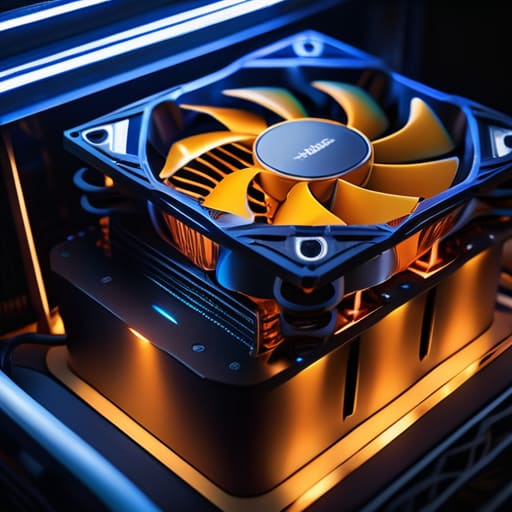
Think of your PC case like a tiny, bustling city. For everything to run smoothly, you need a steady stream of fresh air coming in and a way for the “exhaust” to get out. If your case is stuffed full of cables or shoved right up against a wall, it’s like trying to run a marathon while breathing through a straw! To get things moving, you want to set up a clear path—usually with intake fans at the front pulling in cool air and exhaust fans at the back pushing the hot air out. Optimizing airflow in PC case isn’t just about adding more fans; it’s about creating a predictable wind tunnel that keeps your components from feeling like they’re stuck in a sauna.
If you notice your computer suddenly slowing down during a big task, you might be seeing the signs of computer thermal throttling in action. This is basically your hardware’s way of tapping its brakes to prevent itself from melting! Before you panic, check if your internal layout is cluttered. A little cable management goes a long way in making sure that breeze actually reaches your most important parts.
Five Little Ways to Keep Your Tech From Feeling the Heat
- Watch Your Surface Choice: If you’re working on a laptop, try to avoid those soft, fluffy surfaces like a cozy bed or a velvet pillow. It’s a bit like trying to run a marathon while wearing a heavy winter coat—it just traps all that warmth! A flat, hard surface like a desk acts like a little stage for your computer to breathe properly.
- Mind Your Background Apps: Sometimes, our computers are running a dozen different things in the background without us even knowing. It’s like trying to juggle five oranges while someone else keeps tossing more at you; eventually, things get frantic! Closing down those heavy programs you aren’t using helps your processor relax and stay cool.
- The Magic of Thermal Paste: Now, this one is a bit more “tinkerer” than “tinkering,” but if your machine is getting older, that little bit of conductive paste between your processor and its cooler might have dried up. Think of it like the lubrication in a well-oiled machine; when it’s fresh, everything runs smoothly and stays chill.
- Check Your Software Updates: It sounds a bit dry, I know, but software companies are constantly finding ways to make your computer work more efficiently. An update can be like a clever little shortcut in a Rube Goldberg machine, making sure energy isn’t being wasted on tasks that just create unnecessary heat.
- Give It Some Space: Just like how I need a little bit of elbow room when I’m building my complex marble runs, your computer needs its own personal bubble. Make sure you aren’t shoving your PC into a tight, enclosed cabinet or pinning it against a wall. A little bit of “breathing room” goes a long way in keeping the temperature down!
Keeping the Spark Alive
At the end of the day, preventing your computer from overheating isn’t about being a master engineer; it’s just about being a good neighbor to your hardware. We’ve talked about everything from clearing out those dusty fans—kind of like sweeping the porch on a Saturday morning—to making sure your PC case has enough elbow room to breathe properly. By taking these small, intentional steps, you’re essentially making sure your machine doesn’t have to work twice as hard just to stay comfortable. Remember, a little bit of regular maintenance goes a long way in ensuring your tech stays fast, reliable, and ready for action whenever inspiration strikes.
I know that staring at a pile of wires or a dusty vent can feel a bit daunting at first, but I promise you, you’ve got this! Just like my favorite Rube Goldberg machines, technology is really just a series of interconnected parts that work best when everything is in its right place. Don’t let a little bit of heat or a confusing technical manual stop you from exploring the digital world. Embrace the process, don’t be afraid to get your hands a little dusty, and remember that every expert started out as someone just curious about how things work. Happy tinkering!